Kickback turns any Mac into a living-room TV box: a home screen of beautiful tiles for your apps and streaming sites, and a remote that is already in your pocket.
Free remote for iPhone and Android · No account · No server
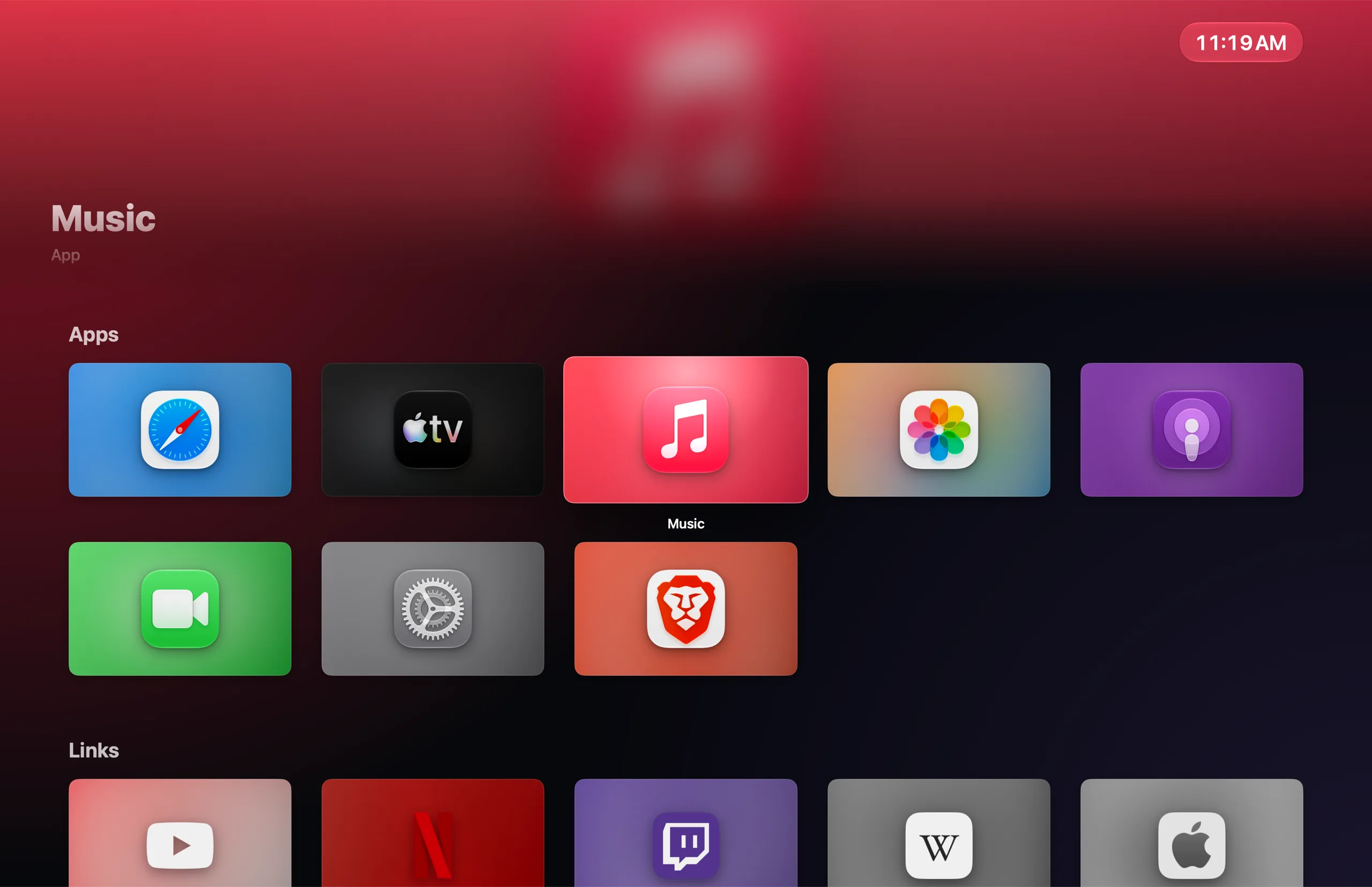
Music
App
Apps
Links
Shortcuts
9:41 AM
Back or Home on the remote returns to Kickback
9:41
Living Room
RemoteTrackpadAppsControls
Kickback home
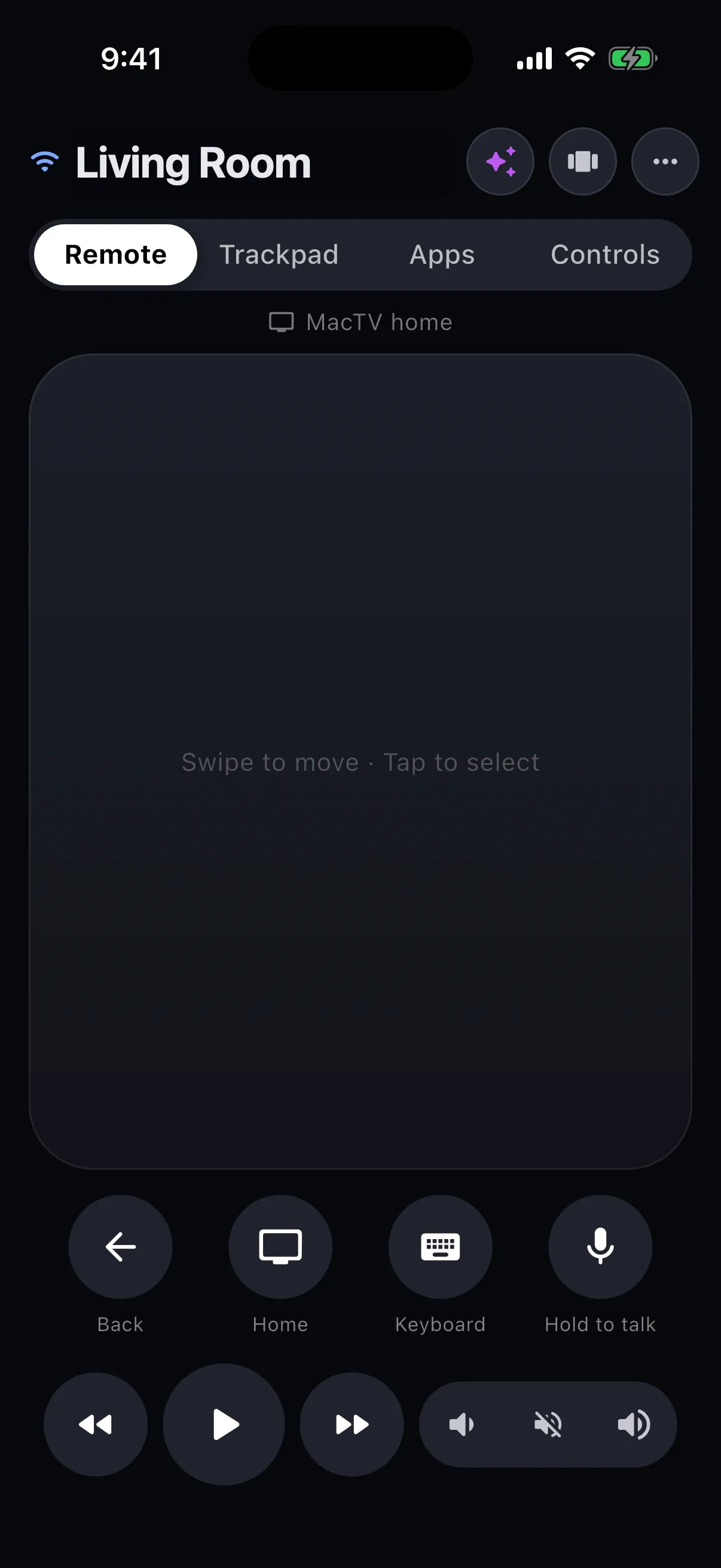
Swipe to move · Tap to select
This one is live.Swipe the remote, click a tile, or hover and use←↑↓→ and Return.Swipe the remote, or tap a tile twice to open it.
0servers between your phone and your Mac
6digits to pair. No account, ever
2ways to connect: Wi-Fi and Bluetooth LE
1payment. The remote is free
The launcher
A home screen worth sitting back for.
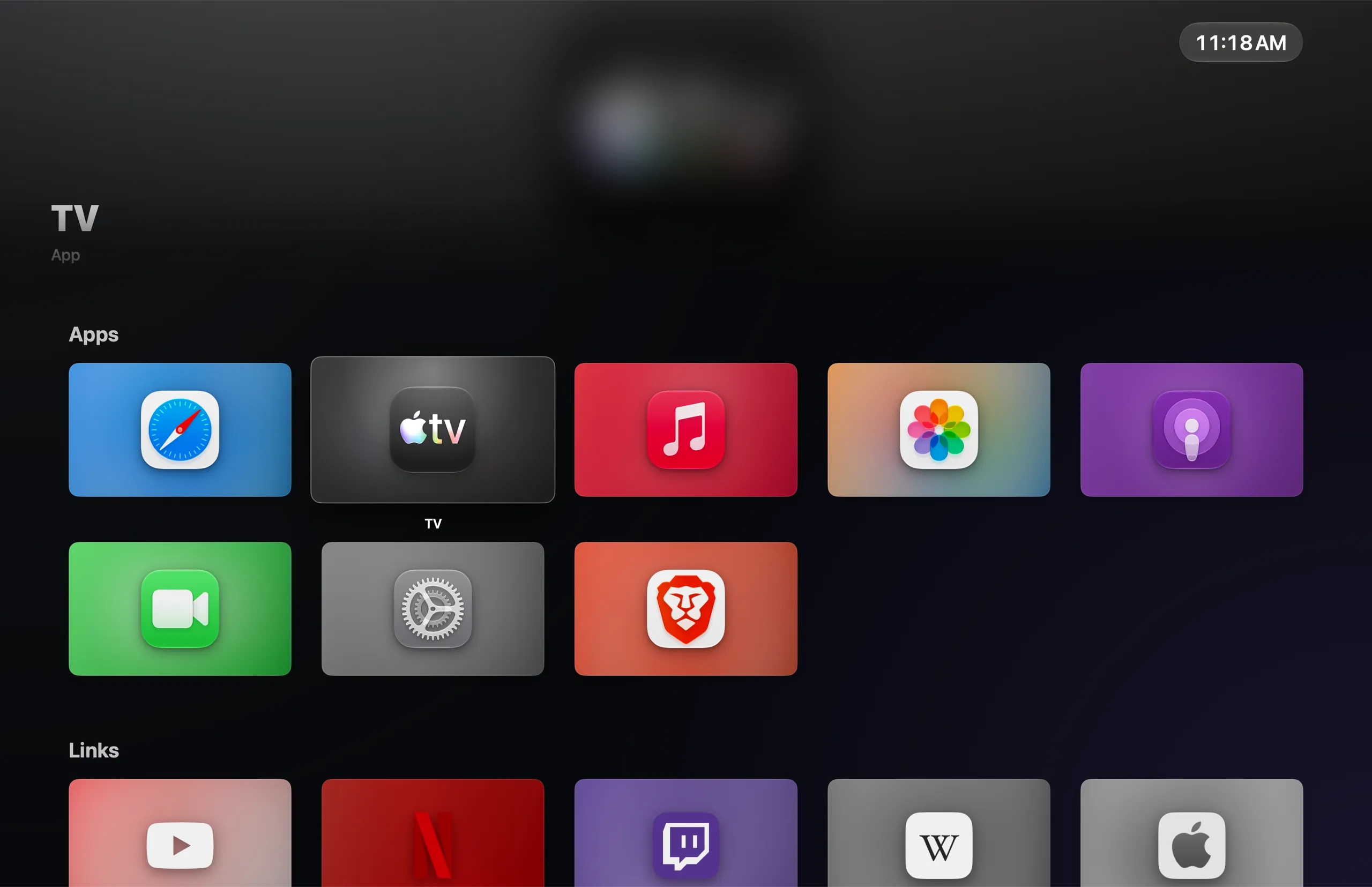
Apps, websites and Shortcuts become big, focusable tiles you can read from across the room. Artwork and colors are picked up automatically, and the tile in focus lifts, tilts and catches the light.
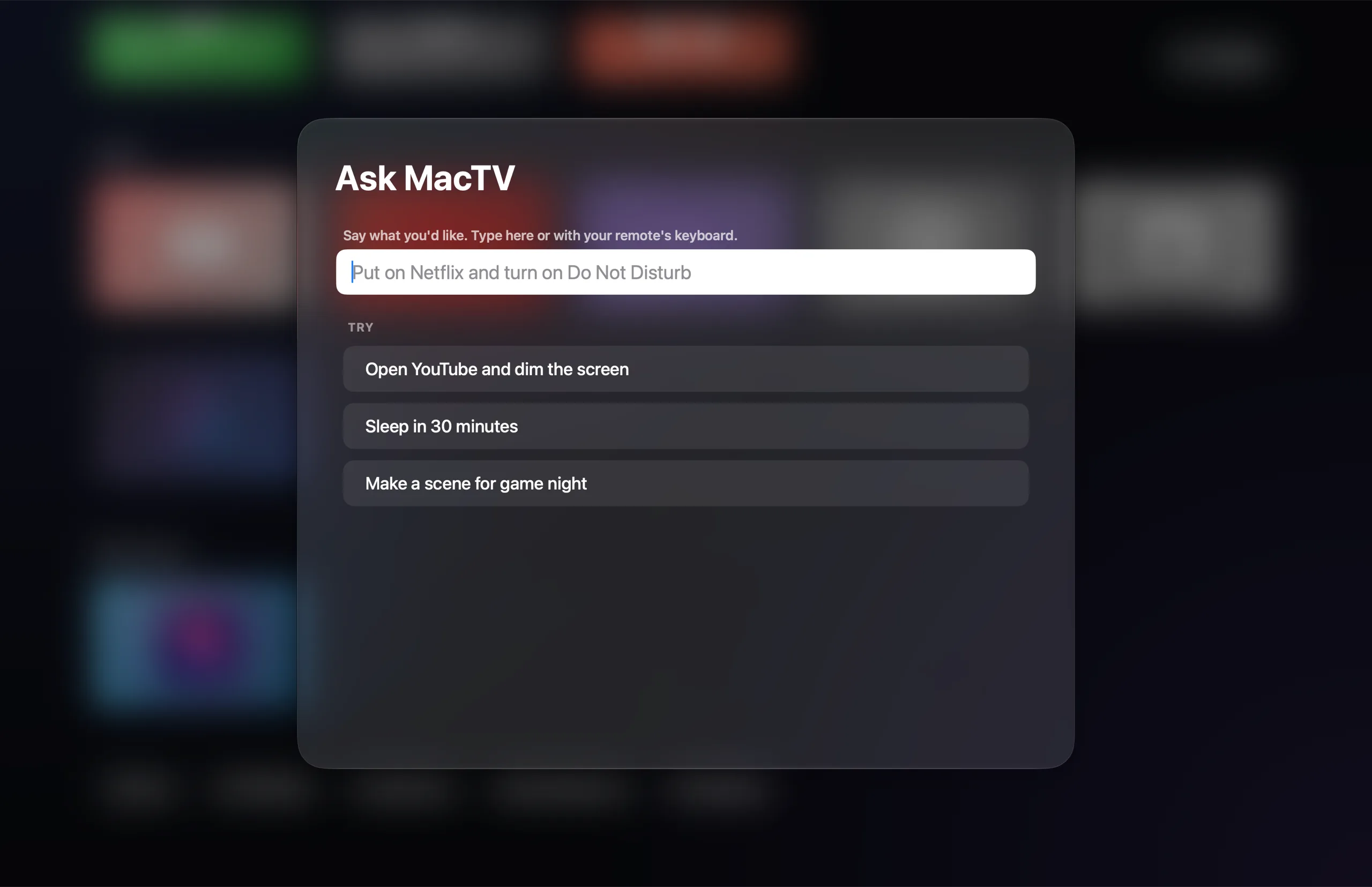
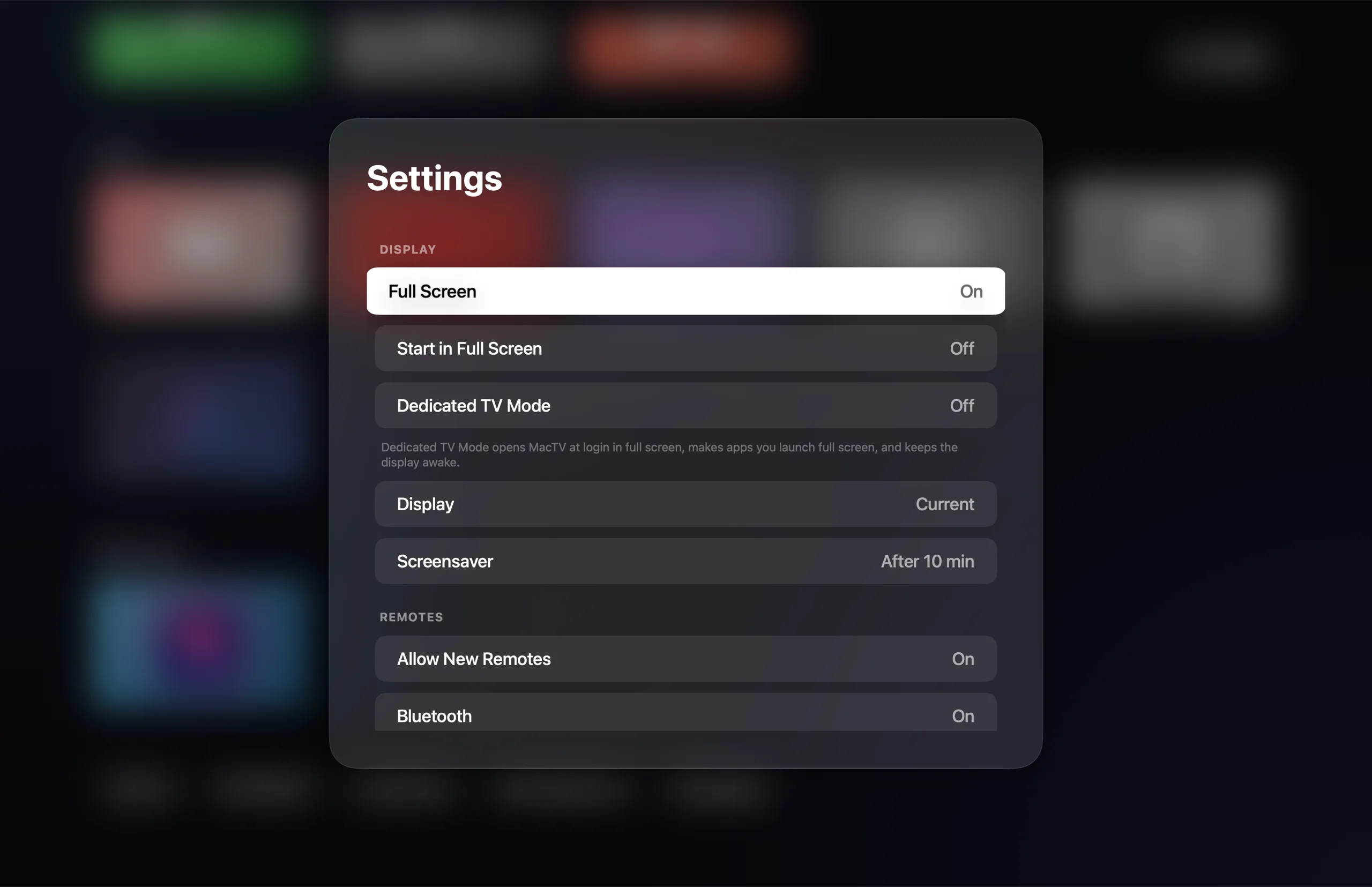
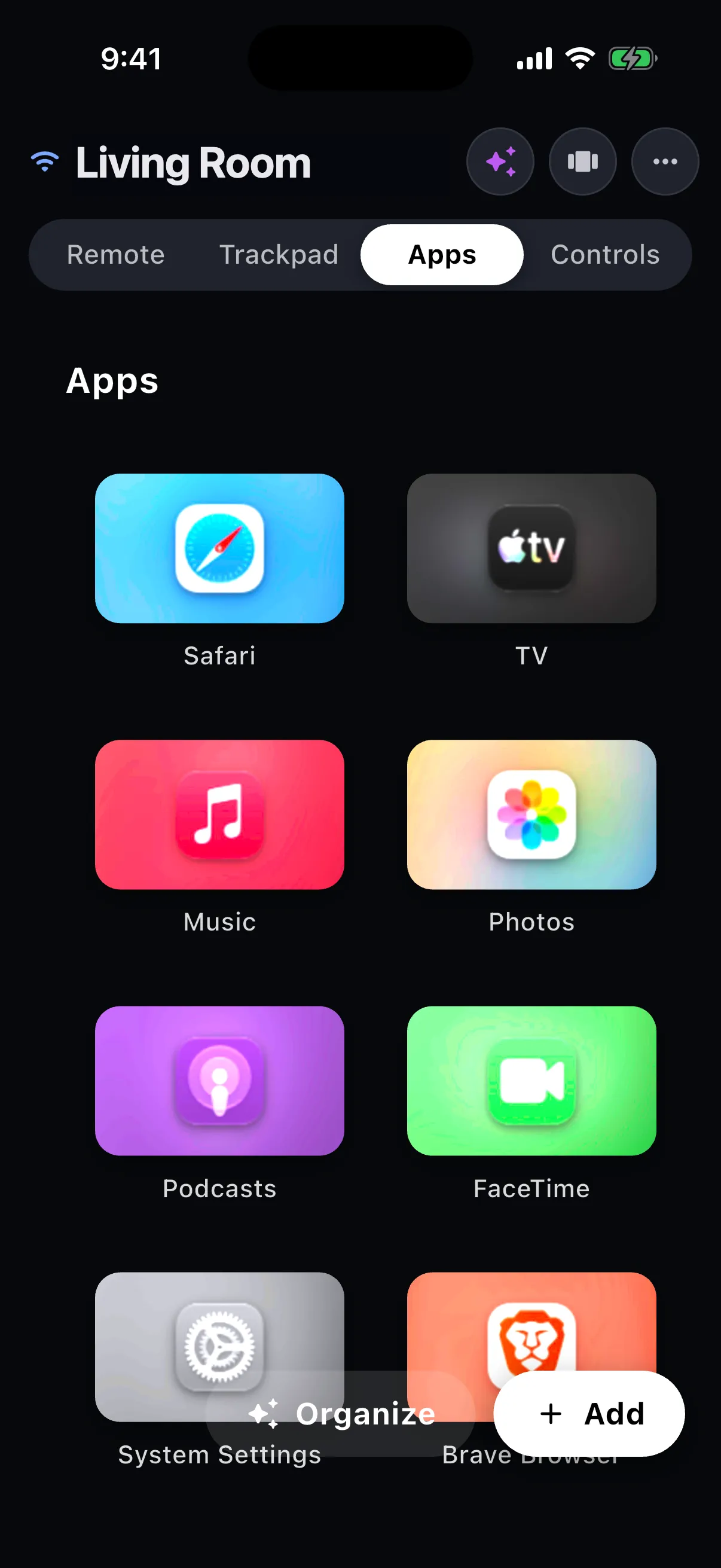
Real screenshots of Kickback 0.1.0 on macOS.
Tiles for everything
Mac apps, any web link, and your Shortcuts. Group them into rows, reorder them, and give any tile custom artwork.
Dedicated TV Mode
For the Mac mini behind the TV: launch at login, stay full screen, open apps full screen, and keep the display awake.
Links that behave
Links open in the service's own Mac app when you have it. In the browser, Kickback reuses the tab that is already open instead of piling up new ones.
The remote
Already in your pocket.
The free remote for iPhone and Android finds your Mac on its own. Swipe to move, tap to select, and reach for a trackpad or keyboard when a web page needs one.
Swipe pad or D-pad, with haptics on every press
Trackpad and live keyboard: the keyboard appears when a text field does
Dictation: hold the mic, speak, let go
Your tiles on your phone: launch, add, reorder and remove
Volume buttons and lock screen control the Mac too
Everything else
It does the fiddly parts, so you stay on the sofa.
A remote that knows what's on
The remote reshapes itself for whatever is in front on the Mac: video sites and players, music apps, browsers, or any other app.
YouTubeSelect plays and pauses. Left and right seek.
Play/Pause−10 s+10 sFull ScreenCaptions
MusicLeft and right change track.
Play/PausePreviousNextVolume
SafariA browser remote, with an address bar.
BackForwardReloadTabsZoom
Scenes: one tap, many steps
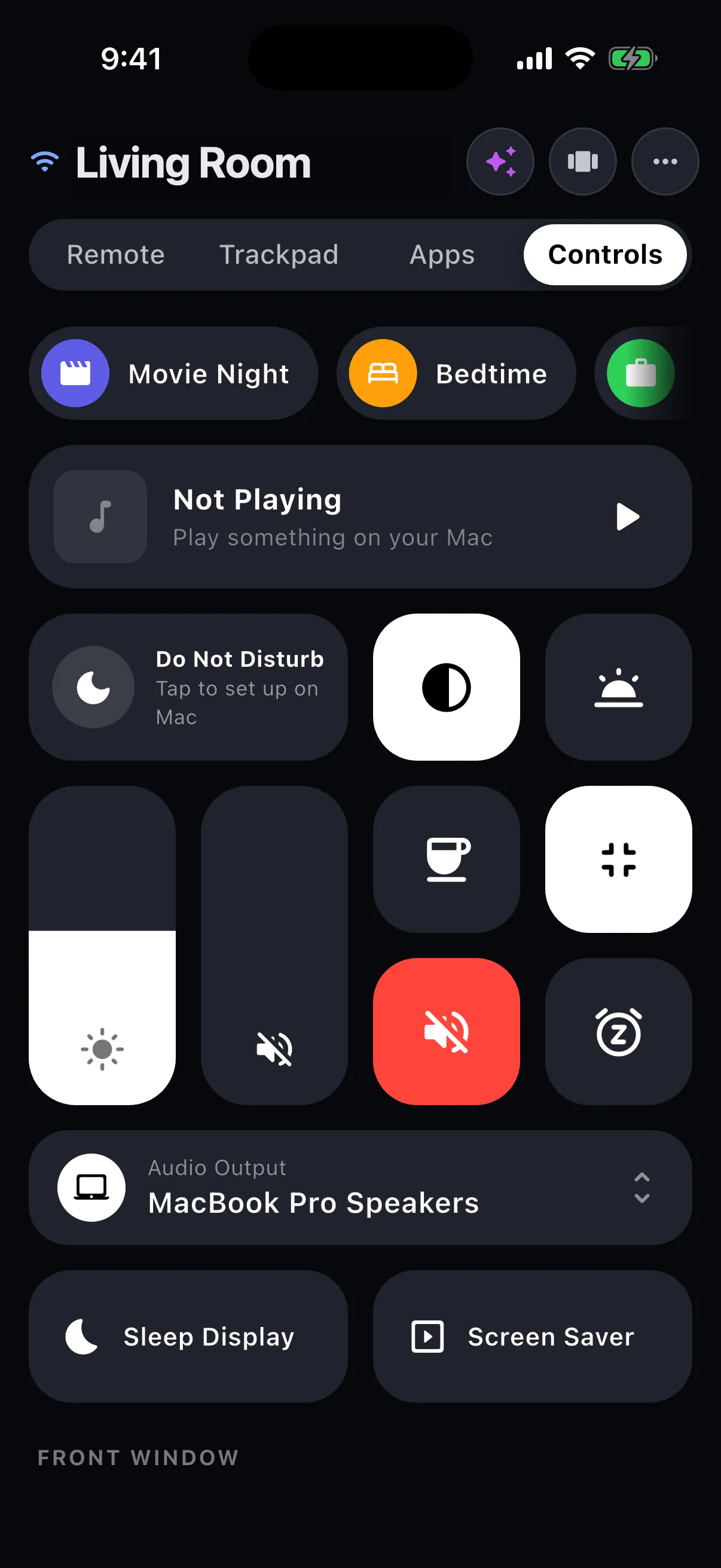
Try one. Scenes can set any control, open a tile, run a Shortcut or start the sleep timer.
Do Not Disturb on
Brightness to 35%
Volume to 60%
Keep Awake on
Full screen
Night Shift on
Brightness to 20%
Volume to 30%
Sleep timer: 30 min
Do Not Disturb off
Keep Awake off
Leave full screen
Brightness to 80%
Pick a scene to run it here.
Night DriveCoastal FM · Music
1:12−2:41
Now Playing
Artwork, a scrubber and transport for whatever the Mac is playing: Music, Spotify, Podcasts or a browser tab.
KickbackHome
YouTubein Safari
TV
Twitchin Safari
Switch apps and tabs
Double-press Home for a grid of running apps and open browser tabs. Tap to switch, hold to quit or close.
29:58then sleep
Sleep timer
15 minutes to two hours, or the end of this track. Then it pauses, and can sleep the display or the Mac.
Game controllers welcome
PlayStation, Xbox and MFi controllers drive the launcher. In a game, only the Home button belongs to Kickback.
D-pad / stick
Navigate
A
Select
B
Back
X
Play/Pause
L1 / R1
Previous / Next
Menu
Tile options
And a long tail of thoughtful extras
Wake on LAN Window snapping Audio output switching Clipboard sync Shortcuts as tiles Share to TV Dictation Lock-screen controls Trackpad mode Live keyboard
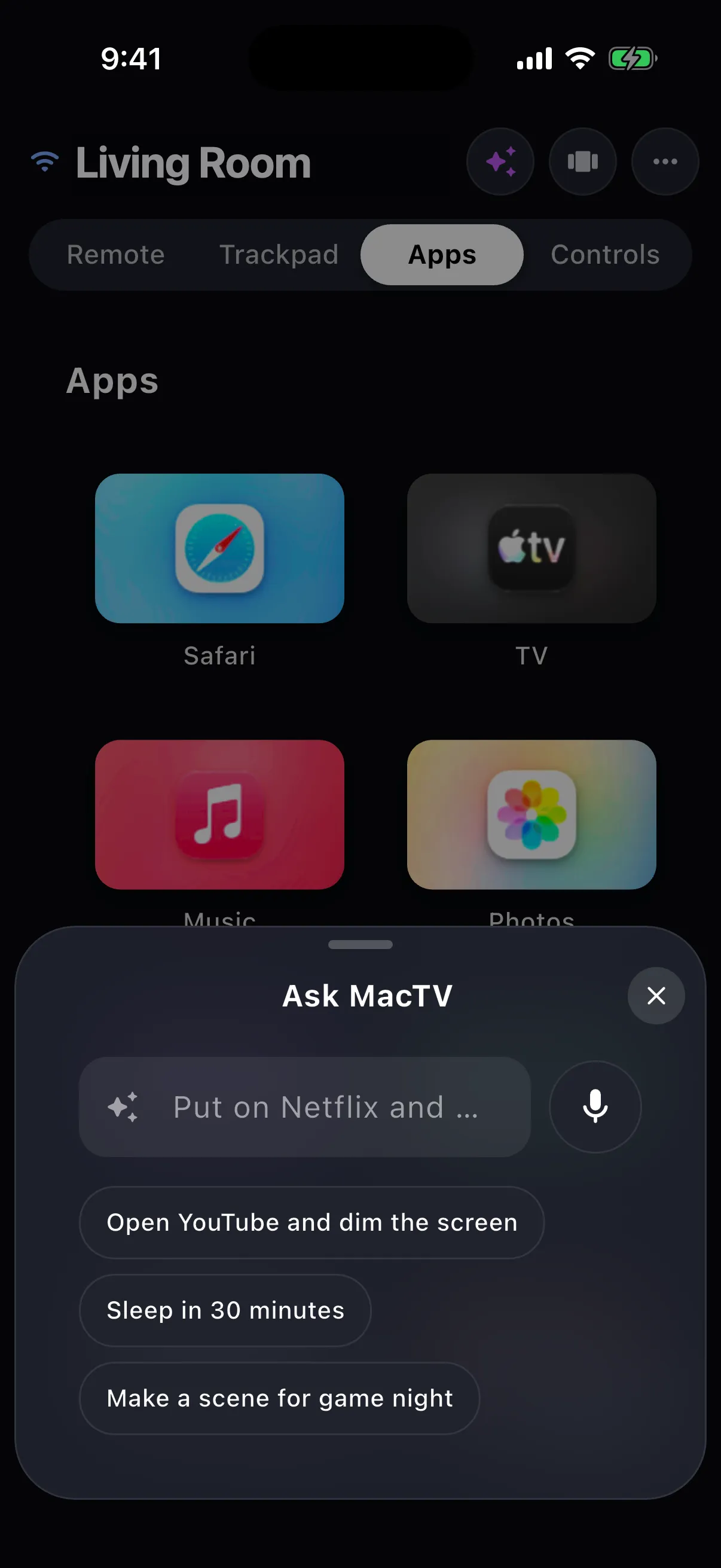
Say what you want in plain words. Kickback turns it into its own real actions, and checks every name against what is actually on your Mac, so it cannot invent anything.
Private by design. It all runs on the Mac, so Android phones get it too.
Describe a scene and get a name, icon and steps to review.
Smart Clipboard turns a pasted link, address or tracking number into the next step on the TV.
Organize Tiles suggests clean names and tidy rows. Nothing changes until you apply it.
Needs macOS 26 or later on Apple silicon with Apple Intelligence on. Everything else runs on Sonoma.
Ask Kickback
Private by architecture
No cloud. No account. Nothing in between.
Your phone talks straight to your Mac over your own network or Bluetooth. After a 6-digit pairing code, every message is end-to-end encrypted with keys only those two devices hold.
Your phoneiPhone or Android
Your MacmacOS 14 Sonoma or later
Wi-Fi or Bluetooth LE · end-to-end encrypted
No relay server. No sign-in. No analytics.
Modern cryptography
X25519 key agreement and ChaCha20-Poly1305 encryption, with the pairing code mixed into the first handshake.
On-device intelligence
Ask, Smart Clipboard and Organize Tiles use Apple Intelligence on your Mac. Requests never go to us.
You hold the keys
See every paired remote in Settings and remove any of them. Turn off new pairings entirely when you are done.
Two apps that work together. On your Mac, Kickback is a full-screen launcher of large, focusable tiles for your apps, websites and Shortcuts, in the spirit of a set-top box home screen. On your phone, the free remote app drives it: swipe pad, trackpad, keyboard, media keys and more.
Do I need an Apple TV or any extra hardware?
No. A Mac connected to a TV or display (HDMI, a dock, or just a laptop on the coffee table) and a phone are all you need. A Mac mini behind the TV is the classic setup.
How do the phone and Mac connect?
Directly, over your Wi-Fi network (Bonjour discovery and a WebSocket) or over Bluetooth LE. There is no relay server in between and nothing to sign in to.
Is my data sent anywhere?
No. Kickback has no server and no account system. Your tiles, scenes and paired remotes are stored on your Mac. The only network requests the Mac makes on its own are to fetch artwork and icons for the sites you add as tiles, and, while Show What’s New is on, public show listings from TVmaze and Apple’s music and movie charts. Those lists are the same for everyone in your region: Kickback never sends what you watch or which apps you have.
Is it a subscription?
No. Kickback for Mac is a one-time purchase and the phone remote is free.


 TV
 Twitch