
Tiles for apps, links and Shortcuts
Add any Mac app, any web address or any shortcut. Tiles sit in named rows you can reorder.
Kickback is small, but it is thorough. Here is the whole list, grouped by where you will find it.
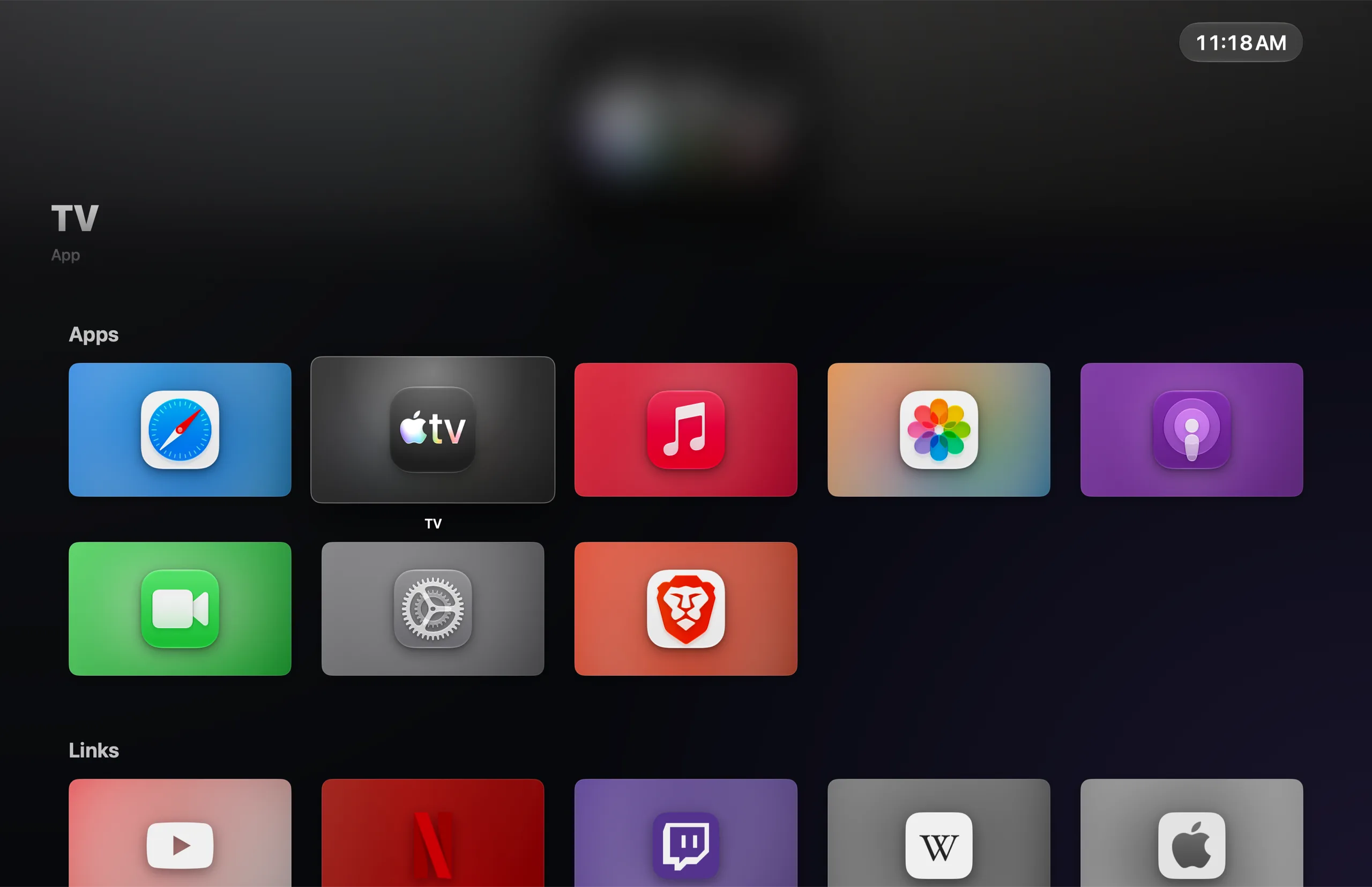
Windowed or edge-to-edge full screen, driven by the remote, the keyboard, a mouse or a game controller.
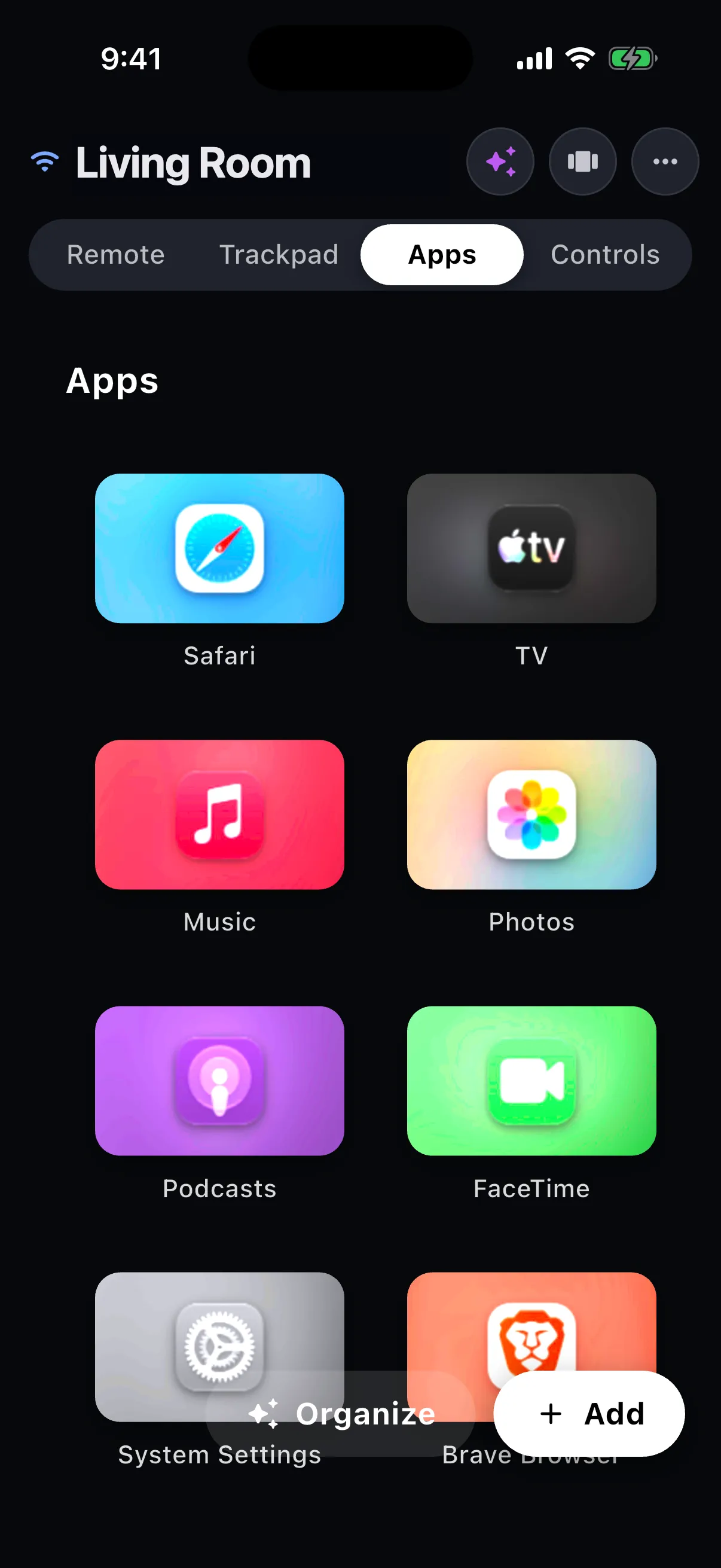
Add any Mac app, any web address or any shortcut. Tiles sit in named rows you can reorder.
App icons, site icons and posters are fetched for you, with matching colors. Prefer your own picture? Set custom artwork per tile.
The tile in focus gets a large title and a soft wash of its colors across the top of the screen.
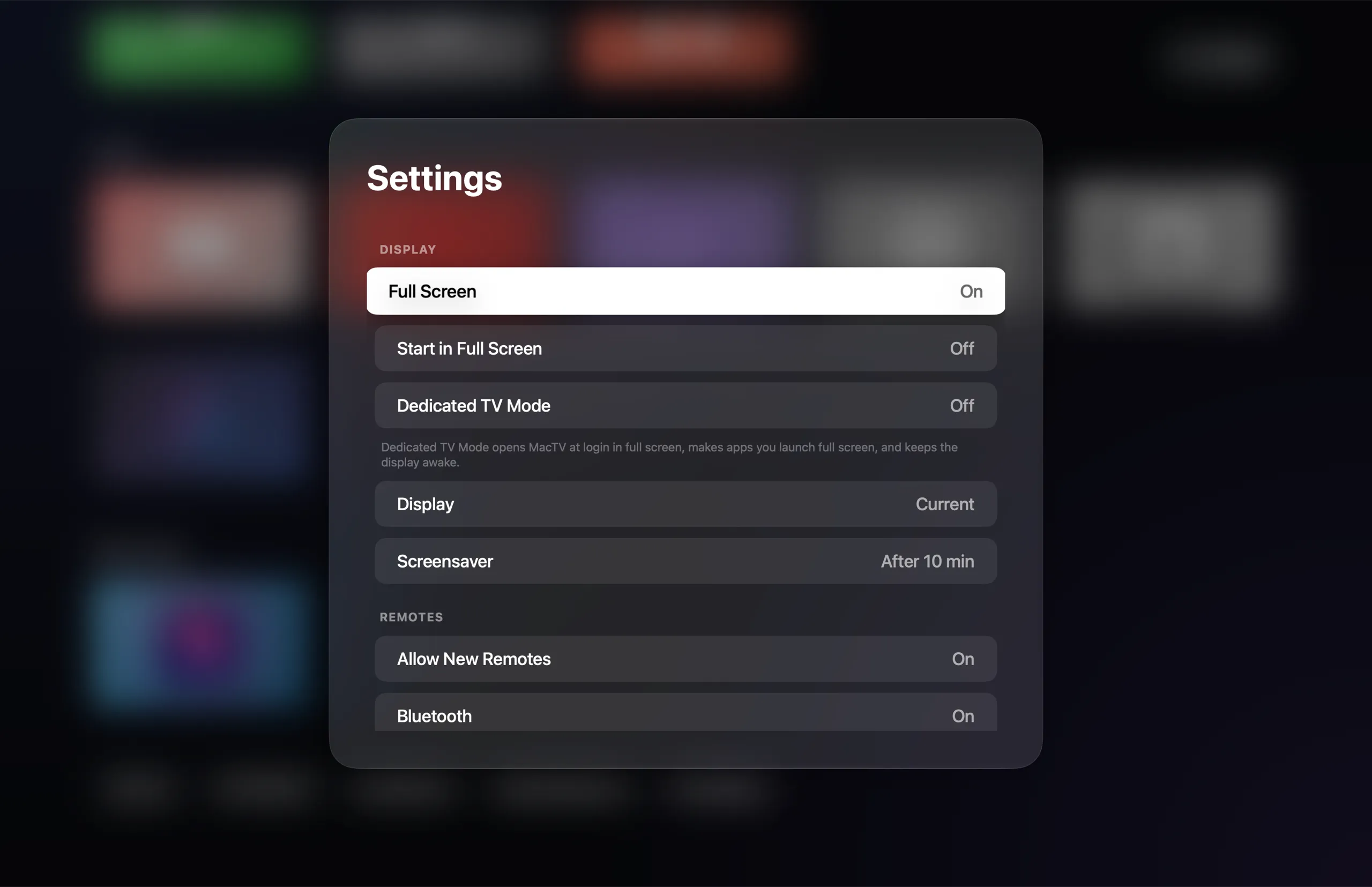
Launch at login, stay full screen, make launched apps full screen too, and keep the display awake.
Links for Spotify, Apple Music, Apple TV, Podcasts, Maps, Zoom, Slack, Discord and more open in the Mac app when it is installed. You choose app or browser per service.
A link switches to the tab that already shows it instead of opening a duplicate. Works with Safari, Chrome, Brave, Edge and Vivaldi.
By default Kickback keeps a browser window of its own, so your other windows are never switched or navigated.
Fades in after a delay you choose, so a paused evening does not burn in.
Free for iPhone and Android. It finds your Mac on its own and reconnects by itself.
Swipe to move, tap to select, hold for tile options. Prefer buttons? Switch to a D-pad.
A real pointer for web pages. The D-pad hides the cursor; the first trackpad touch places it on the focused tile.
The keyboard opens when a text field is focused on the Mac. A key strip adds esc, tab and the modifier keys.
Hold the mic, speak, and let go to send.
Tailored controls for YouTube, Netflix, Prime Video, Disney+, Hulu, Twitch, Plex, the TV app, IINA, VLC and QuickTime, plus music apps and browsers.
Jump to the search box of whatever is in front, or move a highlight between the things on screen with the D-pad.
Double-press Home for running apps and open browser tabs. Tap to switch; hold to hide, quit or close a tab.
Browse and launch tiles from the Apps tab. Hold to jiggle, drag to reorder, tap − to remove.
Every control answers with a press-down tap. Turn them off if you would rather not.
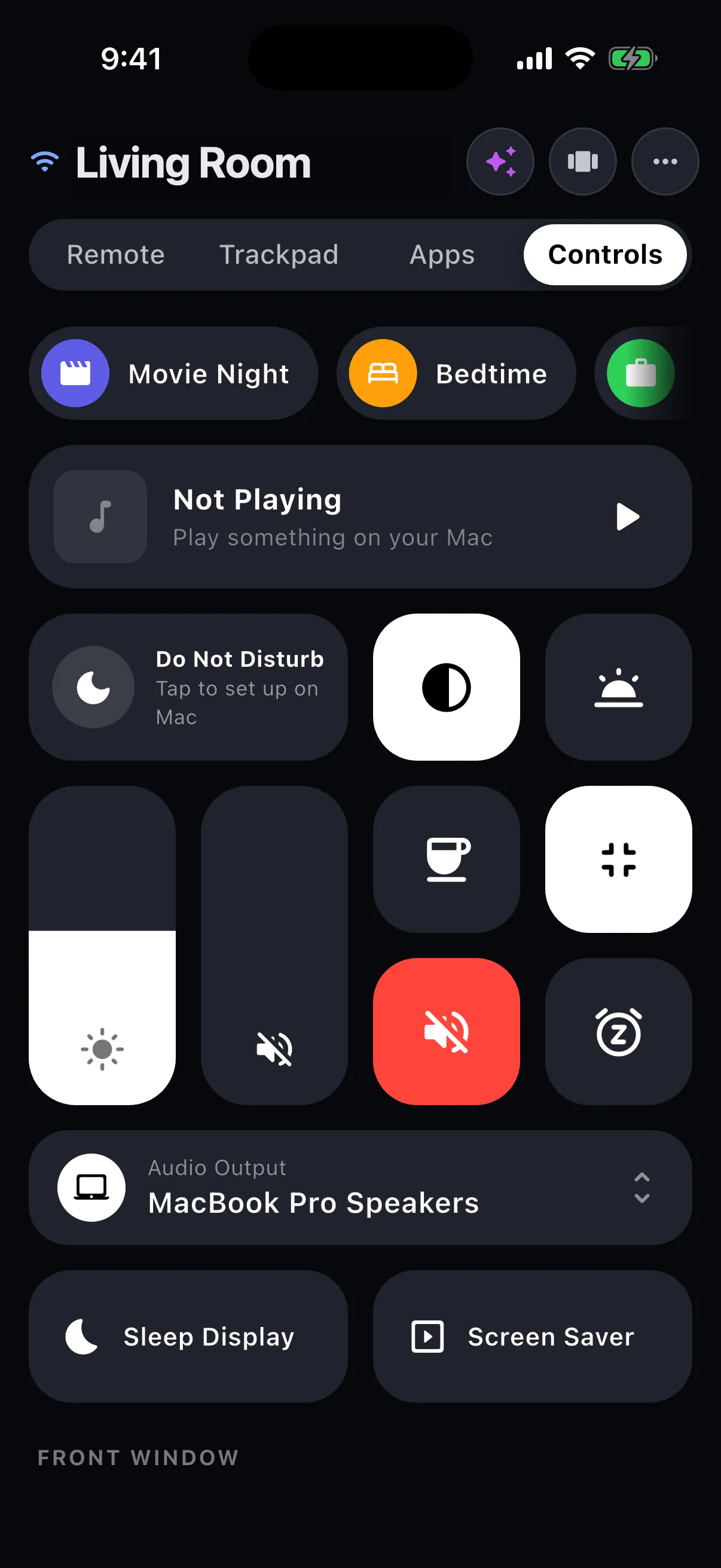
Everything you would otherwise get up for, on one tab.
Artwork, title and artist, a scrubber, ±10 seconds and transport for whatever the Mac is playing.
Movie Night, Bedtime and Back to Work are included. Build your own from controls, tiles, links, media keys, window moves, waits and Shortcuts.
15 minutes to two hours, or the end of the current track. Then pause, turn off the display, or sleep the Mac, with a warning a minute before.
Do Not Disturb, Dark Mode, Night Shift, Keep Awake, Full Screen and Mute, with sliders for volume and brightness.
Send sound to the Mac speakers, an HDMI TV, AirPods or a USB device.
Left half, right half, fill, center, full screen and minimize. With two displays: move to the next display and toggle mirroring.
One tap each, for when the film is over.
Small conveniences that add up.
Share a link from any app to Kickback and choose Open on Mac or Add as Tile.
Send your phone clipboard to the Mac or fetch the Mac clipboard. Paste ↑ can press ⌘V for you.
A sleeping Mac shows a Wake button, and the remote connects when it is up. Available on Android today.
While the remote is open, the phone volume buttons change the Mac volume.
Put the Mac Now Playing on your lock screen with play, pause, next and previous.
Needs macOS 26 or later on Apple silicon. It runs on the Mac, so Android phones get it too.
"Put on Netflix and dim the screen." Simple requests run right away; bigger ones show a Run button first.
"Make a scene for game night" drafts a name, icon and steps for you to review and save.
Suggests clean names, sensible rows and a short description for each tile. Nothing changes until you apply it.
Send text from your phone and Kickback suggests what to do with it: open a link, show a place in Maps, track a package, check a flight, or search a service you have a tile for.
If your Mac can do it, a tile can start it.
Run any shortcut in the background, with a toast on the Mac and the phone when it finishes or fails. HomeKit scenes, scripts and app actions are one tile away.
PlayStation, Xbox and MFi controllers navigate the launcher. In other apps only the Home button acts, so games keep the controller.
Arrows, Return and Esc work everywhere in the launcher. ⌃⌘F toggles full screen.
No server sits between your phone and your Mac.
Bonjour discovery and a direct WebSocket on your own network.
A second route for when Wi-Fi is awkward.
X25519 key agreement and ChaCha20-Poly1305, after a 6-digit pairing code shown on the Mac.
Review and remove paired phones in Settings, or switch off new pairings altogether.